How to Write a Website Brief in 2026
In brief: A website brief is a management tool that prevents misunderstandings, locks in the budget, speeds up production, and ensures the final website matches your business goals. Follow 7 steps: define objectives, identify target, list features, define site map, envision design, plan timeline/budget, and plan maintenance.
A website brief is not an "administrative" document. It is a management tool. It prevents misunderstandings, locks in the budget, speeds up production, and ensures the final website matches your business goals.
Here is a simple 7-step method to write a clear, actionable, results-oriented brief.
1. Why a Website Brief Is Essential
Creating a website without a brief is like starting construction without blueprints.
You can get there, but you will pay for it with:
- Delays
- Back-and-forth
- "Oh by the way, we also wanted..."
- Budget overruns
In 2026, this is even more true because a website is no longer just a showcase. It must handle SEO & GEO, mobile, conversion, sometimes automation, and sometimes e-commerce.
All of this needs to be defined from the start.
2. What Is a Website Brief?
A website brief is a document that describes in black and white:
| Element | Description |
|---|---|
| Objective | What the site should do |
| Target | Who it is designed for |
| Structure | How it should be organized |
| Features | What it should include |
| Constraints | Deadlines, budget, tools, compliance |
| Success | How we measure if it is "successful" |
The format does not matter. It can be a doc, a Notion page, a PDF, or a spreadsheet. What matters is that it is clear and complete.
3. Three Immediate Benefits of a Good Brief
| Benefit | Result |
|---|---|
| Clarity | Everyone works toward the same vision |
| Control | You avoid "surprises" and scope creep |
| Speed | Fewer back-and-forth exchanges means a faster launch |
It is also your insurance if the project goes off track: compare what was delivered to what was requested.
4. Who Should Write It?
The most effective approach is a duo:
| Person | Contribution |
|---|---|
| You | Know the business, the audience, the offerings |
| The service provider (agency/freelancer) | Translate into structure, UX, and technology |
If you do it alone, you risk missing technical points. If the provider does it alone, they risk producing something "nice-looking" but not aligned with business goals.
5. The 7 Steps to Write an Effective Website Brief
Step 1 — Define the Main Objective of the Site
This is the starting point. You choose one dominant objective, then secondary objectives.
Examples of main objectives:
- Generate quote requests
- Get appointment bookings
- Sell online
- Recruit
- Reassure / build brand credibility
Then, write what you specifically expect:
- "I want 30 contact requests per month"
- "I want 70% of visitors to find the booking option in under 10 seconds"
- "I want to sell X products with online payment"
This gives a clear direction.
Step 2 — Identify Your Target Audience
Your website must speak to someone. Not "the general public."
In your brief, include:
- Your primary target
- The 3 needs or fears that hold them back before buying
- The 3 reasons they choose a provider
Example format:
Target: B2B service SMBs Problems: lack of time, fear of making mistakes, need for ROI Triggers: proof, case studies, clear process
This block guides the UX, pages, tone, proof elements, and CTAs.
Step 3 — List the Features (Without Writing a Novel)
Here, you list everything the site should enable.
| Category | Features |
|---|---|
| Standard | Contact form, appointment booking, blog/FAQ, testimonials, service pages, map, multi-language |
| E-commerce | Product catalog, shopping cart, payment, customer accounts, shipping management, transactional emails |
| Business | Client portal, document downloads, automations (CRM, emails, lead tracking), support chat |
Very important: indicate what is mandatory, what is optional, and what is for later.
Step 4 — Define the Site Map and Content
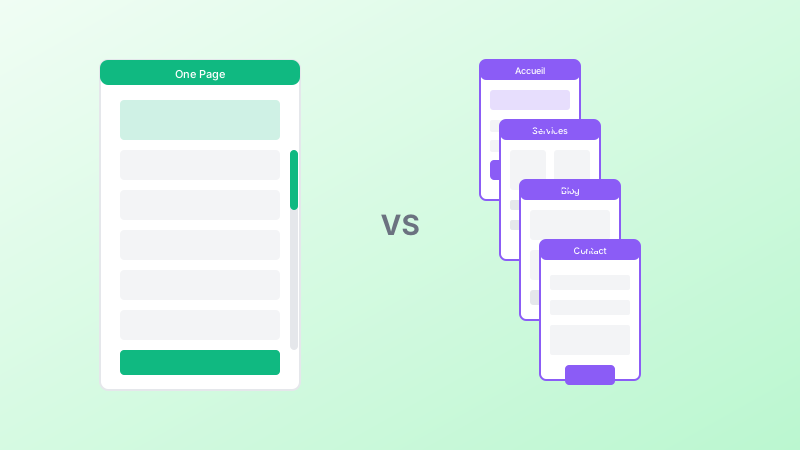
This is the website structure: main pages, secondary pages, user journeys.
Create a simple site map:
Home
Services
   Service 1
   Service 2
Portfolio / Case Studies
Blog / FAQ
About
Contact / Booking
Then, specify the expected content page by page:
- Headings
- Sections
- Proof elements (reviews, photos, numbers)
- CTAs (contact, quote, purchase)
The clearer it is, the faster production goes.
Step 5 — Envision the Design and User Experience (UX)
Here, you are not playing designer. You are giving directions.
Include:
- The desired atmosphere (premium, minimal, accessible, institutional)
- Your colors / logo / visual identity if they exist
- 3 websites you like + why
- 3 websites you dislike + why
And especially: your non-negotiable UX rules
- Mobile-first
- Contact/purchase access in 1 click
- Speed and readability are priorities
- Short pages with clear sections
Step 6 — Plan the Timeline and Budget
Without dates and a budget envelope, the project derails.
In the brief, specify:
| Item | Details |
|---|---|
| Desired launch deadline | Date |
| Content delivery date | Text, photos |
| Number of validation rounds | Count |
| Target budget or range | Amount |
Practical note: if you do not have the content on time, the site will not launch. Budget does not compensate for missing materials.
Step 7 — Plan for Maintenance, Security, and Evolution
A website is never "finished."
In the brief, indicate:
| Item | Details |
|---|---|
| Updates | Who handles them |
| Backup frequency | Schedule |
| Security management | HTTPS, anti-spam, anti-bot |
| Support | Response times, intervention levels |
| Planned evolutions | Future pages, new features |
This avoids unpleasant surprises after launch.
6. The 2026 Element Many Forget: SEO & GEO + AI Visibility
If you want to be found in 2026, you must include in the brief:
- SEO & GEO optimization from the design phase (structure, pages, speed)
- Blog / FAQ to answer questions
- Structured data (when relevant)
- Consistency with your Google Business Profile if local
- Clear content to be understood by AI systems
Otherwise, you will have a "clean" website that is barely visible.
Key Takeaways
- A website brief is a management tool, not paperwork
- It prevents misunderstandings, controls scope, and speeds up launch
- Write it as a duo: you + your service provider
- Follow 7 steps: objectives, target, features, site map, design, timeline, maintenance
- Indicate what is mandatory, optional, and for later
- Include SEO & GEO and AI visibility requirements from the start
- The format does not matter; clarity does