Creating a Professional Website on a Small Budget
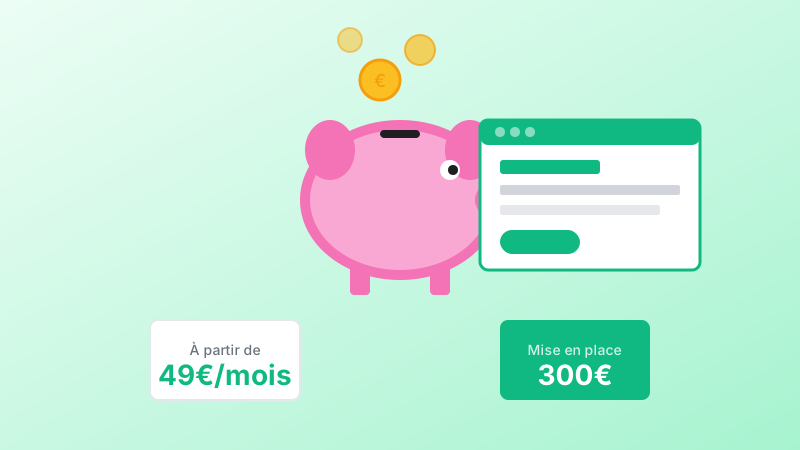
In brief: A quality website is not reserved for large companies with big budgets. In 2026, you can have a professional, SEO-optimized website even with limited resources. Options range from DIY ($0-200/year) to agency plans (starting $300 + subscription). The key is prioritizing essentials and choosing an all-inclusive subscription for predictable costs.
Do you think a quality website is reserved for large companies with big budgets?
Think again.
In 2026, there are solutions for having a professional website that performs well and ranks on Google, even with a limited budget.
1. The True Cost of a Website
Before talking about budget, let us understand what makes up the cost of a website:
| Item | Description |
|---|---|
| Design | Structure, design, UX |
| Development | Code, integration |
| Content | Text, photos |
| Hosting | Server, domain |
| Maintenance | Updates, security |
The "price of a website" depends on the expected quality for each of these items.
2. Options Based on Your Budget
Option 1 — DIY (Do It Yourself)
Budget: $0 to $200/year
With Wix, Squarespace, or WordPress.com, you can create a website yourself.
| Advantages | Disadvantages |
|---|---|
| Minimal cost | Considerable time investment |
| Total control | Often amateur results |
| Limited SEO & GEO | |
| Limited support |
Option 2 — Freelancer
Budget: $500 to $2,000
A freelancer can create a decent website for an intermediate budget.
| Advantages | Disadvantages |
|---|---|
| Accessible price | Variable quality |
| Customization | Uncertain availability |
| Limited follow-up |
Option 3 — Agency with Accessible Plans
Budget: Starting at $300 setup + monthly subscription
Agencies like Mindzy offer all-inclusive plans at controlled prices.
| Advantages | Disadvantages |
|---|---|
| Professional quality | Monthly commitment |
| Built-in SEO & GEO | |
| Ongoing support | |
| Predictable budget |
3. How to Reduce Costs Smartly
Step 1 — Prepare Your Content Yourself
Content (text, photos) often represents a significant portion of the cost.
If you provide:
- Your proofread text
- Your quality photos
- Your logo
You save on content creation.
Step 2 — Start Simple
A single page website may be enough to start. You can evolve to a multi-page site later.
Step 3 — Prioritize What Is Essential
What really matters:
| Essential | Can Wait |
|---|---|
| Clear homepage | Blog (develop progressively) |
| Presentation of your services | Advanced features |
| Contact page | Elaborate design |
| Perfect mobile version | |
| Basic SEO & GEO |
Step 4 — Choose an All-Inclusive Subscription
Rather than a large upfront investment, opt for a plan with:
- Hosting included
- Maintenance included
- Support included
- Updates included
The cost is spread out and predictable.
4. The Trap to Avoid: The "Cheap Website"
A $200 website that generates no customers costs infinitely more than a $1,000 website that brings you clients.
The question is not "how much does it cost?" The question is: "How much does it bring in?"
5. The Mindzy Approach: Accessible Quality
At Mindzy, we have designed plans that allow you to have:
| Feature | Included |
|---|---|
| Professional website | Agency quality |
| SEO & GEO optimized | From the start |
| Ongoing support | Included |
| Worry-free maintenance | Included |
All with a controlled initial investment and a predictable monthly subscription.
6. Checklist: Professional Website on a Small Budget
Before you start, check:
| Item | Status |
|---|---|
| I have prepared my key texts | [ ] |
| I have quality photos (or budget to purchase some) | [ ] |
| I have defined my 3-5 priority pages | [ ] |
| I have identified my main goal (contact, sales, appointments) | [ ] |
| I have compared several quotes | [ ] |
| I have verified what is included in support | [ ] |
Key Takeaways
- A small budget does not mean a mediocre website
- Three options: DIY ($0-200/year), freelancer ($500-2,000), agency (starting $300 + subscription)
- Reduce costs by preparing content yourself and starting simple
- Prioritize essentials: homepage, services, contact, mobile, basic SEO
- Choose all-inclusive subscriptions for predictable costs
- A cheap website that generates nothing costs more than a proper one that brings clients
- The right question: "How much does it bring in?" not "How much does it cost?"
With the right priorities and the right partner, you can have a website that is:
- Professional and inspires trust
- Visible on Google
- Effective at generating contacts
- Scalable and grows with you